How the iOS App Tracker Transforms Digital Privacy and Efficiency
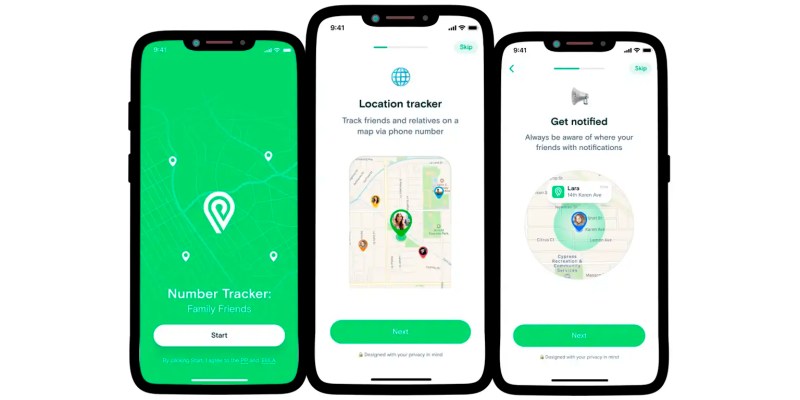
The iOS ecosystem thrives on precision—every tap, notification, and background process is logged with surgical accuracy. Yet for users, this granularity often feels invisible, buried beneath layers of system defaults. The app tracker iOS isn’t just a feature; it’s a silent architect of digital habits, one that balances Apple’s privacy-first ethos with the need for transparency. Without explicit intervention, most users remain unaware of how their apps are being monitored, let alone how to harness this data for their own benefit.
This oversight is costly. Whether you’re a privacy advocate, a productivity enthusiast, or a business analyst, understanding the iOS app tracker system is critical. It’s not merely about tracking—it’s about reclaiming control. The tools embedded in iOS, from Screen Time to third-party integrations, offer a window into app behavior that most users ignore until it’s too late. The question isn’t whether these systems exist, but how to wield them effectively.
Apple’s design philosophy treats user data as a sacred trust, but trust requires knowledge. The app tracker iOS operates on two fronts: passive monitoring for system optimization and active tools for user empowerment. The gap between these two functions is where most confusion—and potential—lies. Mastering this duality isn’t just about tweaking settings; it’s about understanding the invisible algorithms that shape your digital life.
The Complete Overview of the iOS App Tracker
The app tracker iOS refers to the suite of built-in and third-party tools that monitor, analyze, and report on application behavior within the iOS environment. At its core, this system serves dual purposes: enhancing system performance and providing users with insights into their digital footprint. Unlike Android’s more fragmented approach, iOS consolidates these functions under strict privacy safeguards, making it both powerful and opaque to the untrained eye.
What sets the iOS app tracker apart is its integration with Apple’s broader ecosystem. From the App Store’s algorithmic recommendations to the granular controls in Screen Time, every interaction is logged—not just for analytics, but to refine user experiences. However, this duality creates a paradox: users gain visibility into their habits, yet the data remains largely siloed unless actively exported or analyzed. The challenge lies in bridging this gap without compromising Apple’s privacy-centric design.
Historical Background and Evolution
The origins of the iOS app tracker trace back to the early 2010s, when Apple introduced Screen Time as part of iOS 12. Initially framed as a parental control tool, it quickly evolved into a comprehensive usage tracker, offering insights into app duration, frequency, and even distraction metrics. This shift mirrored broader industry trends toward "digital wellness," but Apple’s implementation stood out for its granularity and lack of intrusiveness.
Table of Contents
- The Complete Overview of the iOS App Tracker
- Historical Background and Evolution
- Core Mechanisms: How It Works
- Key Benefits and Crucial Impact
- Major Advantages
- Comparative Analysis
- Future Trends and Innovations
- Conclusion
- Comprehensive FAQs
- Q: Can the iOS app tracker monitor third-party apps without their knowledge?
- Q: Does the iOS app tracker slow down my device?
- Q: How accurate is the data from the iOS app tracker?
- Q: Can I export my app tracker data for personal use?
- Q: Are there risks to using third-party app trackers?
By iOS 14, the app tracker iOS system expanded further with the introduction of App Tracking Transparency (ATT), a framework forcing apps to disclose tracking practices and seek explicit user consent. This wasn’t just a privacy feature—it was a cultural shift, forcing developers to reckon with how their apps interacted with user data. Meanwhile, third-party tools like Activity Tracker and Moment emerged, offering deeper dives into app behavior beyond Apple’s native offerings.
Core Mechanisms: How It Works
The iOS app tracker operates through a combination of system-level monitoring and user-initiated reporting. At the lowest level, iOS logs app launches, background activity, and resource usage via the process_info framework, which feeds data into Screen Time’s backend. This data is then aggregated into reports, allowing users to see which apps consume the most battery, data, or screen time.
For third-party app tracker iOS solutions, the process involves either leveraging Apple’s public APIs (like the ScreenTimeAPI) or employing workarounds to capture additional metrics, such as push notification frequency or in-app ad exposure. The key distinction here is that while Apple’s native tools focus on usage patterns, third-party trackers often delve into behavioral analytics—raising ethical questions about data ownership and transparency.
Key Benefits and Crucial Impact
The app tracker iOS system is more than a diagnostic tool—it’s a mirror reflecting how technology shapes human behavior. For individuals, it reveals patterns of distraction, productivity gaps, or even addictive tendencies that might otherwise go unnoticed. For businesses, it offers a window into user engagement metrics that can inform app design and marketing strategies. The impact, however, is not without controversy, as the line between insight and intrusion blurs in an era of data-driven decision-making.
What makes the iOS app tracker particularly valuable is its ability to democratize access to data that was once the exclusive domain of tech giants. Users can now make informed choices about their digital habits, while developers gain actionable feedback without resorting to invasive tracking methods. The trade-off? A system that, when misused, could enable surveillance capitalism under the guise of "user empowerment."
— Tim Cook, Apple CEO (2018)
"Privacy is a fundamental human right. Our tools give users control, but control without understanding is meaningless."
Major Advantages
- Enhanced Privacy Control: The app tracker iOS allows users to audit app permissions, revoke access, and limit background activity—features critical in an era of rampant data harvesting.
- Productivity Insights: By identifying time sinks (e.g., social media apps), users can optimize their digital routines, leading to measurable improvements in focus and efficiency.
- Battery and Data Optimization: Native tools like Screen Time highlight apps draining resources, enabling users to extend device lifespan and reduce unnecessary data usage.
- Parental and Educational Oversight: Families can monitor screen time for minors, setting limits and educational goals—though this raises ethical debates about autonomy versus protection.
- Developer Feedback Loop: Apps with high engagement metrics (via third-party trackers) can refine UX/UI based on real user behavior, fostering more intuitive designs.

Comparative Analysis
The app tracker iOS ecosystem is a patchwork of native and third-party solutions, each with distinct strengths and limitations. While Apple’s tools prioritize privacy and simplicity, third-party alternatives often offer deeper analytics at the cost of transparency. Below is a comparison of key players:
| Feature | Native iOS Tools (Screen Time) | Third-Party Trackers (e.g., Moment, RescueTime) |
|---|---|---|
| Data Scope | App usage, screen time, notifications, battery impact | Detailed behavioral analytics, keystroke tracking, website visits |
| Privacy Compliance | Apple’s ATT framework; no third-party data sharing | Varies; some require explicit consent, others operate in gray areas |
| Customization | Basic limits and app blocking | Advanced scheduling, goal setting, and cross-platform syncing |
| Ethical Concerns | Minimal; data stays on-device | Potential for overreach; some tools log keystrokes or location |
Future Trends and Innovations
The evolution of the app tracker iOS is poised to intersect with emerging technologies like AI-driven analytics and decentralized data ownership. As Apple continues to refine its privacy frameworks, we can expect tools that not only track usage but predict behavioral trends—helping users preempt digital fatigue before it occurs. The rise of app tracker iOS integrations with health apps (e.g., linking screen time to sleep patterns) further blurs the line between productivity and wellness.
On the horizon, blockchain-based tracking solutions may offer users full ownership of their app data, allowing them to monetize insights or share them selectively. Meanwhile, regulatory pressures (e.g., GDPR, CCPA) will force even third-party app tracker iOS tools to adopt stricter transparency measures. The future isn’t just about tracking—it’s about redefining the relationship between users and their digital identities.

Conclusion
The app tracker iOS is a double-edged sword: a tool for empowerment when used responsibly, a potential privacy minefield when exploited. Its true value lies in the balance it strikes between visibility and control, offering users the means to audit their digital lives without sacrificing security. As the ecosystem matures, the onus will fall on individuals to engage critically with these tools—asking not just what their apps are doing, but why and how it impacts their lives.
For now, the iOS app tracker remains a work in progress, constrained by Apple’s conservative updates and the ethical dilemmas of data collection. Yet its potential to reshape digital habits—whether through personal optimization or systemic change—is undeniable. The question is no longer whether to track, but how to track wisely.
Comprehensive FAQs
Q: Can the iOS app tracker monitor third-party apps without their knowledge?
A: No. Apple’s app tracker iOS system relies on either explicit app permissions (via Screen Time) or public APIs. Third-party apps cannot be monitored without their cooperation, though some may log data independently. Always check an app’s privacy policy for details.
Q: Does the iOS app tracker slow down my device?
A: Minimal impact. Native tools like Screen Time run in the background with negligible resource usage. Third-party app tracker iOS apps may consume more battery if they log keystrokes or run continuously, but most offer adjustable settings to mitigate this.
Q: How accurate is the data from the iOS app tracker?
A: Highly accurate for basic metrics (e.g., screen time, launches). However, third-party trackers may use heuristics (e.g., estimating time spent on websites via proxy data), which can introduce errors. For critical insights, cross-reference with native tools.
Q: Can I export my app tracker data for personal use?
A: Limited. Apple’s Screen Time data cannot be exported directly, but third-party tools like Day One or Notion integrations allow manual logging. For automated exports, consider tools like Screen Time API wrappers (developer-level access required).
Q: Are there risks to using third-party app trackers?
A: Yes. Some trackers may collect sensitive data (e.g., keystrokes, location) or share it with advertisers. Always review permissions, opt for open-source alternatives, and avoid tools with vague privacy policies. Apple’s App Store reviews some trackers for compliance, but third-party stores (e.g., AltStore) lack such safeguards.
Leave a Comment
Comments are moderated before appearing. The data you submit is processed according to the Privacy Policy of Neip.